


réactions à la news Commentaires sur la news : Squarp Instruments publie HapaxOS 3.0
- 6 réponses
- 4 participants
- 562 vues
- 8 followers

Neo Alchemist
11160

Administrateur·trice du site
Membre depuis 6 ans
09 Avril 2026 à 16:14Commentaires sur la news : Squarp Instruments publie HapaxOS 3.0
#1
Lire la news
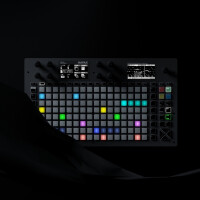
Ce sujet a été créé automatiquement suite à la publication d’une news. N’hésitez pas à poster vos commentaires ici !
signaler

monolithx
336

Posteur·euse AFfamé·e
Membre depuis 20 ans
09 Avril 2026 à 22:00
#2
C'est quand même assez niche pour une màj majeure. Dommage que les câbles virtuels ne fassent pas du routage entre pistes à l'interne. Je suis passé de l'OXI au Hapax pour des raisons de capacité mémoire, mais je dois admettre que je préfère l'évolution de l'OXI au niveau soft.
signaler

Jo_30
769

Posteur·euse AFfolé·e
Membre depuis 13 ans
10 Avril 2026 à 10:34
#3
Assez niche tu trouves?
Gros focus sur le MPE effectivement mais voici la liste complète de la maj et correctif
Ils ont vraiment bien taffé
Gros focus sur le MPE effectivement mais voici la liste complète de la maj et correctif
Citation :
HapaxOS 3.00
April 8, 2026
New features
MPE support greatly improved.
Added MPE zones configuration for the track output. You can choose between Lower Zone (channels 2-15, channel 1 is the master) and Upper Zone (channels 15-1 inverted, channel 16 is the master).
Live Mode MPE: now, when playing the 128 pads, Hapax transmits the Aftertouch (Pressure), CC74 (Timbre), and Pitchbend. Thanks to the left screen, you can set the default value of the Pressure and Timbre.
Step Mode MPE: when adding notes in Step Mode, you can set the initial values of Pressure, Timbre, and Pitchbend for each note.
Step Mode MPE: you can now display and offset the Pressure, Timbre, and Pitchbend curves of a recorded MPE note.
Multi-Track MPE on the same output: the new routing system prevents conflicts, allowing up to 4 MPE tracks to share the same output.
MPE & Setting Midi In → Active Track Channel: Added “ALL (MPE CONTROL)” to control the active track with an MPE controller, regardless of track type (MPE, Poly, or Drum).
MPE: added option in 2ND+Track to send MCM (MPE Configuration Message, MIDI messages that tells the connected MPE device how the MPE zones are configured).
Virtual Cables: The USB Device port and the USB Host port now appears as 16 independent MIDI ports (16 channels each) to your computer or other device. This greatly expands routing possibilities, supports multiple MPE controllers or synths simultaneously, and effectively extends Hapax’s available MIDI outputs. To assign the MIDI port of an output (or input), Hold Track, choose USB Host or USB Device, then hold the encoder and scroll through the 16 available Virtual Cables.
Virtual Cables: Input and output ports can be defined directly in Instrument Definition files (instead of “USBD” or “USBH”, use “USBDx” or “USBHx” where x is between 1 and 16).
Virtual Cables & Setting Sync Out → USB Device / Host: Clock and Transport messages can now be sent to virtual ports 2–16.
Pattern Mode – New Perform Sync Values: Track 1 … Track 16. Launch a pattern in sync with the end of this selected track, enabling complex transitions based on a specific track.
Pattern Mode – New Follow Action: RSTR (Restart): The pattern restarts at the beginning after reaching the Follow Length duration. Useful for re-synchronizing tracks with Elasticity/phasing over time.
modMatrix Enhancement: You can now add a source and adjust depth, polarity, consume, and offset even before assigning a destination.
After loading and unmuting a project, all patterns now restart from the beginning to ensure full track re-synchronization.
Settings → Misc → Palette: now allows setting 16 colors for patterns, instead of 8.
Settings → Misc → Project Sync: Configure synchronization timing when muting or unmuting proA and proB.
Settings → Misc → BPM Nanotune: Apply a fine tempo offset from -0.050 to +0.050 BPM to perfectly match Hapax’s BPM with other devices without using the MIDI clock synchronization.
Settings → Pedal → Pedal Type: Choose between Momentary (default) or Latching (new) pedal behavior.
Settings → MIDI In → ALL (MPE MODE 1/2) allows an MPE MIDI controller to play the currently active track. MPE MODE 1 allows XYZ expression data to Poly Tracks, MPE MODE 2 ignore XYZ.
Added Virtual Cable setting (Settings → Sync In → USB Virtual). Allows selection of the virtual cable number (1–16) used to receive the sync when Clock Source is set to USB Device or USB Host.
Added Virtual Cable setting (Settings → MIDI In → Active Track Port). Allows selection of the virtual cable number (1–16) used to receive the Active Track when using an USB global controller.
PC Pre-Send: Program Change messages are now sent at 50% of the bar (previously 75%). Improves compatibility with devices such as the Roland MC-707, which require more time to load upcoming Program Changes.
Settings → Misc → Hold Step Capture (on/off) : you can now disable Step Capture behavior when holding a pad. When disabled, parameters such as Note, Chance, and Velocity are no longer copied to the track’s default parameters.
Step Mode: holding an empty pad and rotating the encoder now creates a note directly in that step. Speeds up event creation when building patterns.
ModMatrix: offset values can now be adjusted in 0.1% increments (-100.0% to +100.0%).
Output Effect: added Virtual Cable parameter for USB Device and Host.
Settings → MISC: Introduced Faster MIDI A, B, C, and D settings, enabling the 'Running Status' standard to increase bandwidth by up to 33%.
Scales: Added new scales (Lydian, Lydian Augmented, Lydian b6)
Interface improvements
New interface for adding an automation/modMatrix/effect destination.
Enhanced popup visuals.
Pattern Mode: Pressing STOP twice now resets the currently playing patterns (on the Matrix pads) to the first Section of the Song.
Pattern Mode: when all patterns in a row are selected, the corresponding row pad is now highlighted.
Piano roll: Improved display of in-recording notes.
With FILL enabled, incoming notes with MATH=FILL are no longer recorded.
Settings → MISC: Improved sorting.
Alphanumeric name screen: Hold a character to select it in lowercase.
Bug fixes
Fixed an issue where incoming MIDI did not play when a pattern was in Follow Action: STOP mode (buffered notes were previously released when playback resumed).
MIDI Import: RIFF MIDI files no longer cause a crash during import.
MIDI Import: Fixed a crash when importing `.mid` files containing more than 6 tracks.
MIDI Import / Instrument Definitions: added support for additional special characters.
Instrument Definitions: prevented loading of unintended `.txt.bak` files.
Instrument Definitions: Fixed scrambling of definitions when importing two instrument definitions on the same track.
Corrected output clock setting 1/48 = 12 PPQN, which previously produced incorrect sync.
Fixed issues in recording, where unwanted new patterns were created if the other project included pattern changes.
Rec: Hardrec starting recording from STOP could erase an unintended range — now fixed.
Recording: Fixed an issue where Punch-In would start playback even if the incoming MIDI note was not consumed by any track.
Pre-send Program Change: PC/MSB/LSB was not sent on Project Unmute — now fixed.
Live Mode: It was possible to hold more than 16 notes, despite the polyphony limit; this is now enforced.
Live Mode: Using JUMP with a scale could show unavailable notes at the top of the matrix — now fixed.
Undo now works correctly when adding a Learn Chord on step 1 with negative microtiming.
Automation: CV values now correctly reflect the configured range (e.g., 0V to 5V instead of always showing -5V to +5V).
When a track was transposed by a TRSP track (TR016), the first note was being sent twice — now fixed.
Improved USB compatibility: certain devices connected to the HOST port no longer experience communication issues introduced in 2.20.
Pedal: Improved anti-bounce handling to prevent assigned actions from triggering multiple times.
Pedal: Fixed Previous Section incorrectly triggering Next Section.
Pedal: Fixed Next Section not working correctly when combined with encoder click → Launch Section.
Fixed error: “eastl assert fail”
Fixed error: “Error: FX not found”
Fixed error: “Undo of AddNote failed. Note not found. Could not be erased.”
Greatly reduced CV input noise that could cause MIDI flooding when routing CV inputs to MIDI messages via the modulation matrix.
Register Effect: Notes were not generated across the full selected range (Span parameter).
Euclid Effect: Fixed an issue where some notes were not played at the beginning of the pattern when Rotate was used.
Ils ont vraiment bien taffé
signaler
monolithx
336
Posteur·euse AFfamé·e
Membre depuis 20 ans
10 Avril 2026 à 23:12
#4
Pour moi, le MPE est une norme bancale qui restera une niche en l'état.
signaler

Will Zégal
80628

Will Zégal
Membre depuis 24 ans
11 Avril 2026 à 08:30
#5
Oui. C'est sûrement pour ça que tant de constructeurs s'empressent de l'adopter, de sortir des produits compatibles et de mettre à jour leurs produits existants pour l'intégrer.
Tu as tout à fait le droit de ne pas t'y intéresser ou de ne pas te sentir concerné, mais ça fait basculer le MIDI dans une toute autre dimension.
Tu as tout à fait le droit de ne pas t'y intéresser ou de ne pas te sentir concerné, mais ça fait basculer le MIDI dans une toute autre dimension.
signaler
monolithx
336
Posteur·euse AFfamé·e
Membre depuis 20 ans
11 Avril 2026 à 10:18 (modifié le 11 Avril 2026 à 10:29)
#6
ça fait 25 ans que je fais de la guitare MIDI pour l'expressivité que ça procure, j'en connais les bénéfices et aussi le bordel que c'est à gérer, j'ai bien dit, en l'état, du MIDI. Après, si c'est juste brancher un contrôleur à un générateur, ça marche et on est content. Dès qu'on se lance dans le routing et les configs complexes, c'est une autre histoire avec des documentations lacunaires sur l'implémentation de chacun. Bref, tout ça pour dire que c'était peut-être pas nécessaire de mettre autant d'énergie pour ça dans un màj majeure.
signaler
Jo_30
769
Posteur·euse AFfolé·e
Membre depuis 13 ans
24 Septembre 2026 à 06:17
#7
Une nouvelle mise à jour 3.20 (3.21 actuellement) qui accueille le Poly Aftertouch
https://squarp.net/hapax/firmware/
Citation :
The poly aftertouch update, plus a tighter CV clock
New features
Poly Aftertouch — AFTR track: a new track type, shown just after MPE in the track-type list, that records, plays back and edits polyphonic aftertouch. It keeps a single input and output channel like a POLY track, so it works with any synth over DIN or USB without setting up an MPE zone, but every note carries its own pressure curve that you can draw and edit in Step mode, exactly like the MPE pressure lane. Because the curve is stored with the note, moving or transposing a note carries its aftertouch along with it.
Poly Aftertouch — Passthrough: incoming poly aftertouch is passed through to the output on every track type, not only AFTR, so Hapax no longer swallows pressure data when used as a MIDI router.
Poly Aftertouch — Channel aftertouch on an AFTR track: if your keyboard only sends channel aftertouch (a single value for the whole channel), an AFTR track still records it — the incoming value is applied to every note currently held, instead of going to automation.
Instrument definitions: the TYPE line accepts POLYAT and AFTR (both name the poly aftertouch track type).
MIDI monitor: poly aftertouch messages are now displayed, with their note number and pressure value, and follow the ONLY PRESSURE filter.
Sync In — Higher CV clock rates: CV CLOCK RATE now goes up to 96 ppqn (48 ppqn also available) instead of 24 ppqn max, tight enough to sync Hapax to an audio rate clock coming from a DAW or a modular system. The list is reordered from fastest to slowest, and the index stored in your global settings is migrated on load.
Sync In — Clock Timeout (new setting, OFF/ON, default OFF): losing the external clock while playing, whether CV, MIDI or USB, falls back to the internal clock instead of leaving Hapax hanging, and re-locks automatically when the clock comes back. The delay adapts to the incoming pulse rate rather than being a fixed number of seconds. When ON, it supersedes the no-clock reset of CV RESET = AUTO.
Sync In — CV Follow Tempo (new setting, OFF/ON, default OFF): when ON, the project BPM follows the incoming CV clock, as it already did for MIDI clock. Left OFF, a CV clock advances the sequencer without touching the project tempo, so a manually advanced gate stays usable as a creative tool.
Improvements
Automation performance: the player now walks a compact cache of the lanes that actually carry something — a default value, row values, or at least one point — instead of scanning the full list twice per tick. On projects with many declared lanes, most of the cost disappears. No lane is ever removed: a list pre-built by an instrument definition stays visible in the UI.
Sync In: incoming clock pulses are now counted instead of being stored in a single flag consumed once per tick. At high PPQN, a pulse arriving while the previous tick was still running was silently merged into it and the sequencer fell permanently behind.
Bug fixes
Arpeggiator: fixed a note left stuck ON when changing pattern while the arpeggiator was muted by a pattern value. The note-on and the note-off landed on the same tick, and the off was handled before the note existed, so it was dropped and never balanced the on.
Instrument definitions: default values declared in a [CC], [NRPN] or [CC_PAIR] section were ignored on load, and the lane came up empty. Only a DEFAULT= set directly on the [AUTOMATION] line was honoured. Present in 3.00 and 3.10 alike.
Instrument definitions: a definition that turns a track into an MPE track and sets INPORT at the same time now checks the port against the type it asks for. A MIDI DIN port, which MPE cannot use, could be left as the MPE input.
Track type: changing the type no longer leaves the two screens on the previously selected mode.
Track type: switching a track to AFTR no longer resets its output channel to 1. Reaching AFTR from POLY or DRUM goes through MPE, which has no channel of its own, and the channel was lost on the way.
LFO: fixed a freeze when an LFO destination was set to RANDOM note.
Projects: a .dat file that is empty (0 bytes) no longer blocks the whole project from loading. The project opens and a warning is displayed instead.
Sync In: the clock drain is now explicitly bounded. At low CV CLOCK RATE the loop could fail to hand back control.
Compatibility
A project saved with 3.20 will not open in 3.10: the track serialization moves from v18 to v19 to carry the poly aftertouch output mode. Keep 3.10 and its backups at hand before updating.
Global settings move from v1 to v3, because of the CV CLOCK RATE reordering. Upgrading is transparent — the index is migrated on load — but a settings file written by 3.20 is not read back by 3.10.

https://squarp.net/hapax/firmware/
signaler

- indoor cat
- Liste des modérateurs
- Charte
- Options
- S'inscrire