





 JeffTadashi
 « Even the cheapest keyboards work! »
Publié le 30/06/12 à 03:49 (contenu en anglais)
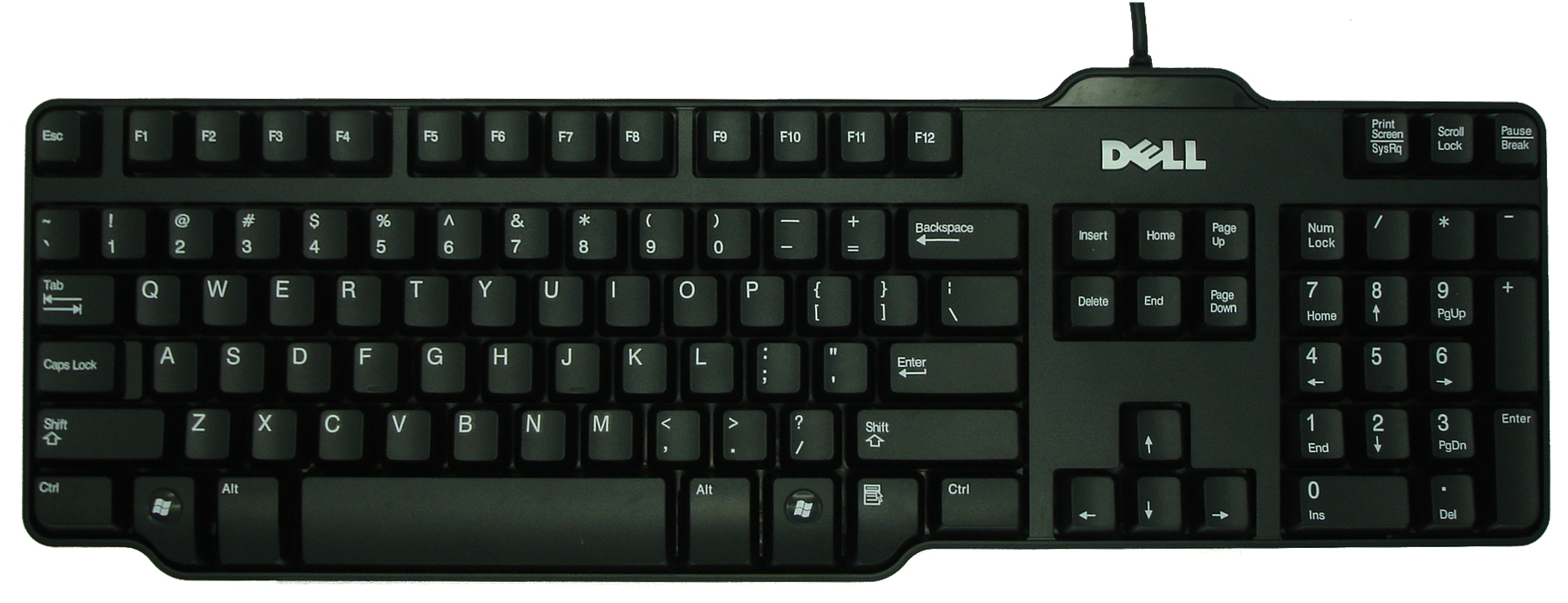
The Dell L100 is a standard desktop computer usb-style keyboard that came shipped with my new Dell computer. It features 104 keys, 17.5 inches width, 5.5 inches depth, and 1.25 inches height. The height, like many standard computer keyboards, is adjustable with two kickstands in the back, and it can be adjusted from flat on the table, to slightly angled, which is what I prefer (when I'm typing on a non-laptop keyboard). The default language of this keyboard is standard English.
At the top of the keyboard, above the direction keys and home/end section, there are three lights that illuminate when caps lock, scroll lock, or num lock are turned on. This is one of the few great features that can separate standard keyboards from each other, and it's nice to have on this Dell keyboard. Otherwise, you would have to use your windows software to track and tell you if the caps lock is on, which is more of a nuisance. The keys are very high, and they move a good amount of distance, and they click very well, so they're easy to use, especially if you are used to older styles of computer keyboards. Some of the more modern keyboard's action have smaller, thinner keys, and although they look very sleek and nice, functionally, they are sometimes not as easy to type on, and it is sometimes harder to find the keys without looking.
The Dell L100 is very compact, and these is very little excess plastic or other material around the edges of the keys. It is not rectangular, because the casing hugs the keys tightly, therefore making it smaller than a standard rectangular case.
Overall, this is a perfectly fine keyboard for most typing applications, and it came standard and free with my new computer. It's great to know that even the cheapest keyboards out there perform just fine.
At the top of the keyboard, above the direction keys and home/end section, there are three lights that illuminate when caps lock, scroll lock, or num lock are turned on. This is one of the few great features that can separate standard keyboards from each other, and it's nice to have on this Dell keyboard. Otherwise, you would have to use your windows software to track and tell you if the caps lock is on, which is more of a nuisance. The keys are very high, and they move a good amount of distance, and they click very well, so they're easy to use, especially if you are used to older styles of computer keyboards. Some of the more modern keyboard's action have smaller, thinner keys, and although they look very sleek and nice, functionally, they are sometimes not as easy to type on, and it is sometimes harder to find the keys without looking.
The Dell L100 is very compact, and these is very little excess plastic or other material around the edges of the keys. It is not rectangular, because the casing hugs the keys tightly, therefore making it smaller than a standard rectangular case.
Overall, this is a perfectly fine keyboard for most typing applications, and it came standard and free with my new computer. It's great to know that even the cheapest keyboards out there perform just fine.