


réactions à la news Squarp Instruments annonce le séquenceur Hapax
- 251 réponses
- 50 participants
- 24 327 vues
- 61 followers

Neo Alchemist
11026

Administrateur·trice du site
Membre depuis 5 ans
02 Mars 2022 à 12:48Squarp Instruments annonce le séquenceur Hapax
#1
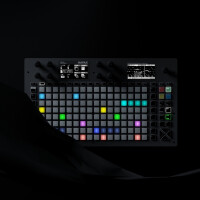
Lire la news
Ce thread a été créé automatiquement suite à la publication d'une news pour ce produit. N'hésitez pas à poster vos commentaires ici !
signaler

enthalpi
2388

AFicionado·a
Membre depuis 23 ans
15 Décembre 2023 à 21:37 (modifié le 15 Décembre 2023 à 21:38)
#251
La beta 2.00C est disponible :https://beta.squarp.net/hapax/firmware/
Il corrige notamment des bugs lors de l'import de nombreux fichiers midi.
Il corrige notamment des bugs lors de l'import de nombreux fichiers midi.
signaler

Leopal
1128
AFicionado·a
Membre depuis 22 ans
09 Avril 2026 à 01:16
#252
La 3.0 est dispo .
En anglais dans le texte :
En anglais dans le texte :
Citation :
New features
MPE support greatly improved.
Added MPE zones configuration for the track output. You can choose between Lower Zone (channels 2-15, channel 1 is the master) and Upper Zone (channels 15-1 inverted, channel 16 is the master).
Live Mode MPE: now, when playing the 128 pads, Hapax transmits the Aftertouch (Pressure), CC74 (Timbre), and Pitchbend. Thanks to the left screen, you can set the default value of the Pressure and Timbre.
Step Mode MPE: when adding notes in Step Mode, you can set the initial values of Pressure, Timbre, and Pitchbend for each note.
Step Mode MPE: you can now display and offset the Pressure, Timbre, and Pitchbend curves of a recorded MPE note.
Multi-Track MPE on the same output: the new routing system prevents conflicts, allowing up to 4 MPE tracks to share the same output.
MPE & Setting Midi In → Active Track Channel: Added “ALL (MPE CONTROL)” to control the active track with an MPE controller, regardless of track type (MPE, Poly, or Drum).
MPE: added option in 2ND+Track to send MCM (MPE Configuration Message, MIDI messages that tells the connected MPE device how the MPE zones are configured).
Virtual Cables: The USB Device port and the USB Host port now appears as 16 independent MIDI ports (16 channels each) to your computer or other device. This greatly expands routing possibilities, supports multiple MPE controllers or synths simultaneously, and effectively extends Hapax’s available MIDI outputs. To assign the MIDI port of an output (or input), Hold Track, choose USB Host or USB Device, then hold the encoder and scroll through the 16 available Virtual Cables.
Virtual Cables: Input and output ports can be defined directly in Instrument Definition files (instead of “USBD” or “USBH”, use “USBDx” or “USBHx” where x is between 1 and 16).
Virtual Cables & Setting Sync Out → USB Device / Host: Clock and Transport messages can now be sent to virtual ports 2–16.
Pattern Mode – New Perform Sync Values: Track 1 … Track 16. Launch a pattern in sync with the end of this selected track, enabling complex transitions based on a specific track.
Pattern Mode – New Follow Action: RSTR (Restart): The pattern restarts at the beginning after reaching the Follow Length duration. Useful for re-synchronizing tracks with Elasticity/phasing over time.
modMatrix Enhancement: You can now add a source and adjust depth, polarity, consume, and offset even before assigning a destination.
After loading and unmuting a project, all patterns now restart from the beginning to ensure full track re-synchronization.
Settings → Misc → Palette: now allows setting 16 colors for patterns, instead of 8.
Settings → Misc → Project Sync: Configure synchronization timing when muting or unmuting proA and proB.
Settings → Misc → BPM Nanotune: Apply a fine tempo offset from -0.050 to +0.050 BPM to perfectly match Hapax’s BPM with other devices without using the MIDI clock synchronization.
Settings → Pedal → Pedal Type: Choose between Momentary (default) or Latching (new) pedal behavior.
Settings → MIDI In → ALL (MPE MODE 1/2) allows an MPE MIDI controller to play the currently active track. MPE MODE 1 allows XYZ expression data to Poly Tracks, MPE MODE 2 ignore XYZ.
Added Virtual Cable setting (Settings → Sync In → USB Virtual). Allows selection of the virtual cable number (1–16) used to receive the sync when Clock Source is set to USB Device or USB Host.
Added Virtual Cable setting (Settings → MIDI In → Active Track Port). Allows selection of the virtual cable number (1–16) used to receive the Active Track when using an USB global controller.
PC Pre-Send: Program Change messages are now sent at 50% of the bar (previously 75%). Improves compatibility with devices such as the Roland MC-707, which require more time to load upcoming Program Changes.
Settings → Misc → Hold Step Capture (on/off) : you can now disable Step Capture behavior when holding a pad. When disabled, parameters such as Note, Chance, and Velocity are no longer copied to the track’s default parameters.
Step Mode: holding an empty pad and rotating the encoder now creates a note directly in that step. Speeds up event creation when building patterns.
ModMatrix: offset values can now be adjusted in 0.1% increments (-100.0% to +100.0%).
Output Effect: added Virtual Cable parameter for USB Device and Host.
Settings → MISC: Introduced Faster MIDI A, B, C, and D settings, enabling the 'Running Status' standard to increase bandwidth by up to 33%.
Scales: Added new scales (Lydian, Lydian Augmented, Lydian b6)
Interface improvements
New interface for adding an automation/modMatrix/effect destination.
Enhanced popup visuals.
Pattern Mode: Pressing STOP twice now resets the currently playing patterns (on the Matrix pads) to the first Section of the Song.
Pattern Mode: when all patterns in a row are selected, the corresponding row pad is now highlighted.
Piano roll: Improved display of in-recording notes.
With FILL enabled, incoming notes with MATH=FILL are no longer recorded.
Settings → MISC: Improved sorting.
Alphanumeric name screen: Hold a character to select it in lowercase.
Bug fixes
Fixed an issue where incoming MIDI did not play when a pattern was in Follow Action: STOP mode (buffered notes were previously released when playback resumed).
MIDI Import: RIFF MIDI files no longer cause a crash during import.
MIDI Import: Fixed a crash when importing `.mid` files containing more than 6 tracks.
MIDI Import / Instrument Definitions: added support for additional special characters.
Instrument Definitions: prevented loading of unintended `.txt.bak` files.
Instrument Definitions: Fixed scrambling of definitions when importing two instrument definitions on the same track.
Corrected output clock setting 1/48 = 12 PPQN, which previously produced incorrect sync.
Fixed issues in recording, where unwanted new patterns were created if the other project included pattern changes.
Rec: Hardrec starting recording from STOP could erase an unintended range — now fixed.
Recording: Fixed an issue where Punch-In would start playback even if the incoming MIDI note was not consumed by any track.
Pre-send Program Change: PC/MSB/LSB was not sent on Project Unmute — now fixed.
Live Mode: It was possible to hold more than 16 notes, despite the polyphony limit; this is now enforced.
Live Mode: Using JUMP with a scale could show unavailable notes at the top of the matrix — now fixed.
Undo now works correctly when adding a Learn Chord on step 1 with negative microtiming.
Automation: CV values now correctly reflect the configured range (e.g., 0V to 5V instead of always showing -5V to +5V).
When a track was transposed by a TRSP track (TR016), the first note was being sent twice — now fixed.
Improved USB compatibility: certain devices connected to the HOST port no longer experience communication issues introduced in 2.20.
Pedal: Improved anti-bounce handling to prevent assigned actions from triggering multiple times.
Pedal: Fixed Previous Section incorrectly triggering Next Section.
Pedal: Fixed Next Section not working correctly when combined with encoder click → Launch Section.
Fixed error: “eastl assert fail”
Fixed error: “Error: FX not found”
Fixed error: “Undo of AddNote failed. Note not found. Could not be erased.”
Greatly reduced CV input noise that could cause MIDI flooding when routing CV inputs to MIDI messages via the modulation matrix.
Register Effect: Notes were not generated across the full selected range (Span parameter).
Euclid Effect: Fixed an issue where some notes were not played at the beginning of the pattern when Rotate was used.
signaler

- Paranoiak
- VE
- titipol
- JeffX
- Liste des modérateurs
- Charte
- Options
- S'inscrire